
Unlocking the Full Potential of the Zooz ZEN34 Remote Switch in SmartThings

Updated: Aug 24
Compatible Devices and Hubs
The SmartThings custom edge driver supports the Zooz Remote Switch ZEN34 and the Zooz Wall Remote ZEN37. Both of these devices feature Long Range Z-Wave support and are specified by Zooz to work with the following hubs:
Z-Box Hub
SmartThings / Aeotec (with driver)
Homey Pro (with the free Zooz App in the Homey App Store)
HomeSeer
Hubitat
Home Assistant
The Zooz ZEN34 Remote Switch and Zooz ZEN37 Wall Remote are both excellent wireless Z-Wave scene controllers for SmartThings, but they are designed for very different use cases. At a high level, the ZEN34 is designed to mimic a traditional wall switch with a simple two-paddle layout, while the ZEN37 is more of a dedicated multi-scene controller with four independently programmable buttons.
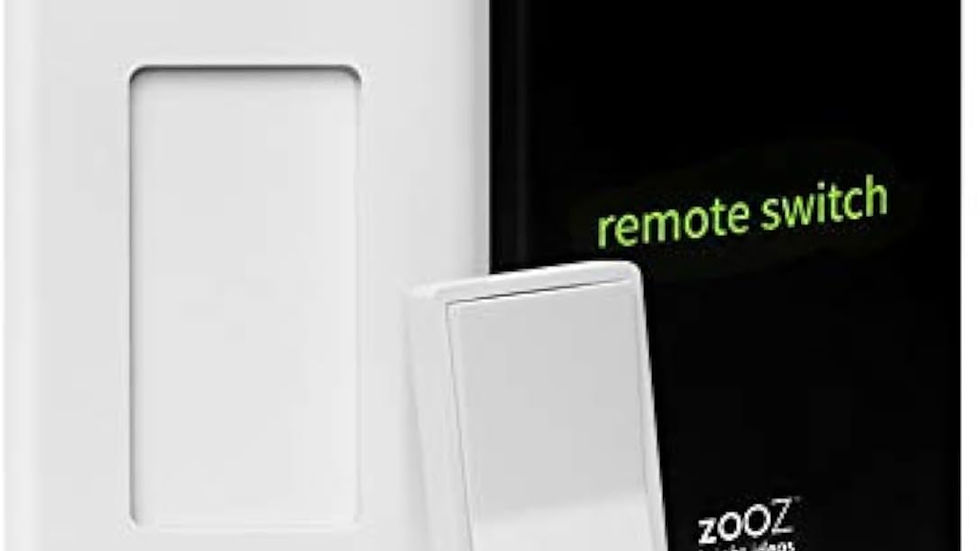
Why the ZEN34 Works So Well in SmartThings
The Zooz ZEN34 is unique because it looks and feels like a traditional paddle switch while remaining completely wireless. Here are some benefits:
No electrical wiring required
Magnetic detachable remote design
Easy wall mounting
Excellent battery life
Compact form factor
Long Range Z-Wave support
Strong SmartThings automation compatibility
It’s an excellent solution for locations where adding physical wiring would otherwise require opening walls or running new electrical lines.
Why Install the Custom Edge Driver?
The default SmartThings pairing process may only expose limited button functionality. By installing the proper Zooz Edge driver, you can unlock advanced scene automation support including:
Single press actions
Double tap actions
Triple tap actions
Hold actions
Multiple lighting scenes and automations
Advanced SmartThings Routine integration
This makes the ZEN34 Remote Switch one of the most versatile wireless scene controllers available for SmartThings users.
How to Source and Download the Custom Edge Driver
The following steps will guide you through the driver installation process:
Step 1. Accept the Channel Invitation
Tap on the following invitation link to begin the installation of the Zooz Edge driver:
Step 2. Join the Driver Channel
Want to read more?
Subscribe to budshomeautomation.com to keep reading this exclusive post.


